

If you’ve ever wondered how to sell products on Blinkit, you’re not alone.
With millions of active customers across India, Blinkit has become one of the fastest-growing quick-commerce platforms, helping local shops, wholesalers, and brands reach customers within 10–20 minutes of order placement.
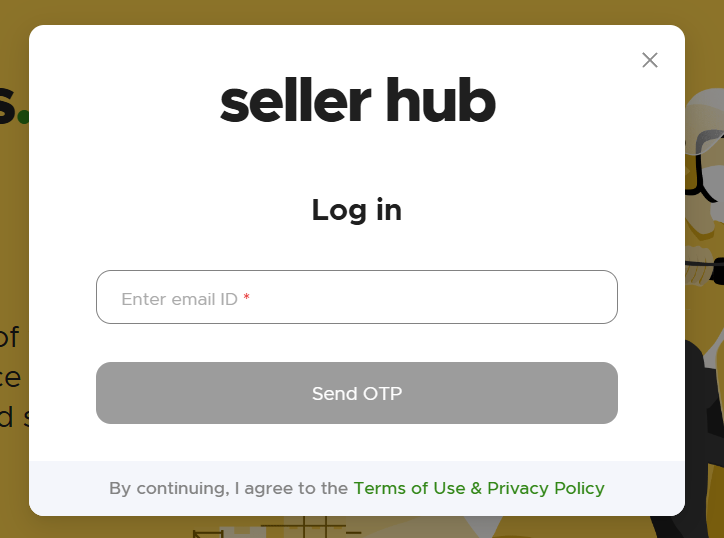
In this article, we’ll explain everything — from Blinkit seller registration to commissions, delivery process, and partner benefits — so you can start selling online quickly and effectively.
Read: UPI Apps Giving Cashback: Best Options to Earn Rewards on Payments
🧩 What Is Blinkit?
Blinkit is a hyperlocal delivery app that connects local vendors and customers through instant delivery.
It started as Grofers and later rebranded to Blinkit, now backed by Zomato.
Through the Blinkit Seller Partner Program, small businesses, supermarkets, and entrepreneurs can list their products — from groceries to electronics — and sell directly to customers in their city.
🚀 Why Sell on Blinkit?
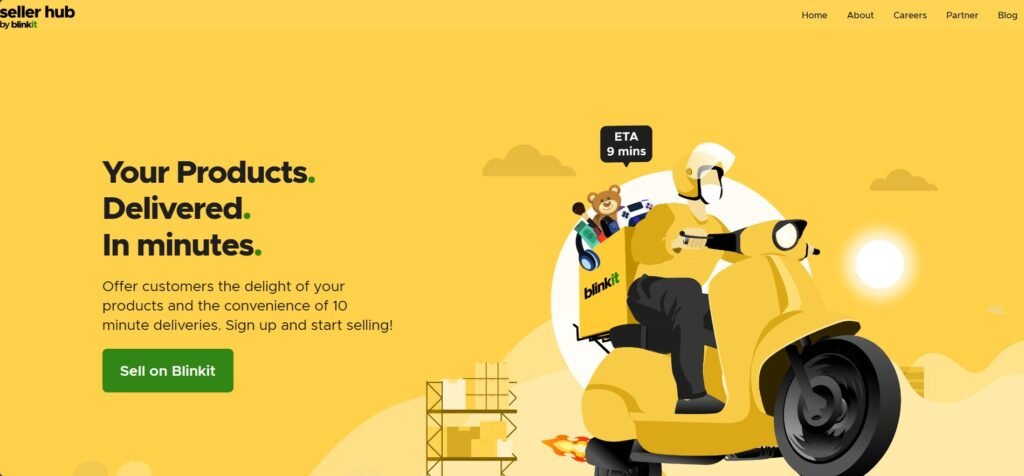
Blinkit’s biggest advantage is speed. It delivers orders in 10–15 minutes, giving sellers consistent demand and visibility.
Here’s why joining the Blinkit seller network can be a game-changer:
| Benefit | Description |
|---|---|
| 🛒 Huge Customer Base | Millions of users in metro and tier-2 cities |
| ⚡ Instant Delivery | Orders fulfilled within minutes |
| 💰 Low Commission | Competitive rates and partner incentives |
| 🏪 Business Growth | Local shops can sell nationwide |
| 📱 Seller App Access | Real-time sales tracking and inventory management |
🧾 Step-by-Step: How to Sell Products on Blinkit
Let’s go through the complete Blinkit seller onboarding process step by step.
Step 1: Visit Blinkit Seller Registration Page
Go to the official Blinkit partner portal:
👉 https://blinkit.com/seller
Click on “Become a Seller” or “Partner with Us”.
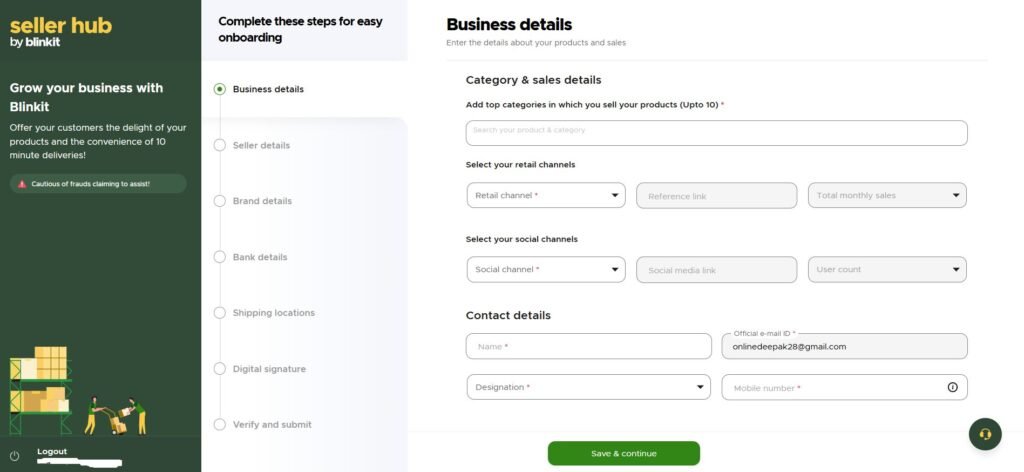
Step 2: Fill Out the Application Form
Provide your business details, including:
- Full Name & Store Name
- Mobile Number & Email ID
- Business Address & City
- Product Category (e.g., groceries, snacks, electronics)
Once submitted, a Blinkit representative will contact you for verification.
Step 3: Verify Documents
You’ll need the following documents for KYC verification:
| Required Document | Purpose |
|---|---|
| ✅ GST Certificate | For tax compliance |
| ✅ PAN Card | Business identification |
| ✅ Bank Details | For payments |
| ✅ Address Proof | Shop or warehouse verification |
| ✅ FSSAI License (for food sellers) | Required for consumables |
Step 4: Product Listing & Catalog Upload
Once approved, sellers can upload their products via the Blinkit Seller Dashboard or app.
You’ll need to:
- Add product titles, descriptions, and prices
- Upload clear product images
- Set delivery locations
- Update available stock
💡 Pro Tip: Use high-quality photos and competitive pricing to improve product visibility.
Step 5: Manage Orders and Delivery
Blinkit’s hyperlocal model means it automatically assigns nearby delivery partners.
Sellers simply:
- Receive order notifications
- Pack items promptly
- Hand them over to Blinkit delivery agents
You can track order status in real-time via the Blinkit Partner App.
📦 Product Categories You Can Sell on Blinkit
Blinkit supports a wide variety of product types, including:
| Category | Examples |
|---|---|
| 🍎 Groceries | Fruits, vegetables, dairy, snacks |
| 🧴 Personal Care | Soaps, shampoos, cosmetics |
| 💊 Pharmacy | Over-the-counter medicines |
| 🧹 Household Items | Cleaning supplies, utilities |
| 🖥️ Electronics | Chargers, earphones, accessories |
| 🧃 Beverages | Juices, soft drinks, packaged water |
💸 Blinkit Seller Commission & Payments
Commissions depend on product type and city, but typically range between 10–20% per sale.
Payments are processed weekly or bi-weekly directly into your registered bank account.
| Payment Type | Frequency | Mode |
|---|---|---|
| Product Sales | Weekly | Direct Bank Transfer |
| Partner Bonus | Monthly | Added to Seller Wallet |
💡 Tip: Maintain consistent ratings and fast dispatch times for better commission incentives.
🔐 Blinkit Seller Requirements
Before you start selling, make sure you meet the following eligibility criteria:
| Requirement | Description |
|---|---|
| 🏪 Registered Business | Must have GSTIN |
| 📦 Product Stock | Minimum stock level per category |
| 🧾 Legal Documents | GST, PAN, FSSAI (if required) |
| 💬 Communication | Basic English or Hindi for coordination |
| 💻 Smartphone | For Blinkit Partner App access |
💬 Blinkit Partner App Overview
The Blinkit Partner App allows sellers to:
- Manage live orders
- Track earnings and payments
- Update stock in real-time
- Communicate with delivery partners
- Monitor sales performance
You can download the app from:
- Android: Google Play Store – Blinkit Partner
- iOS: Available on the App Store
🧩 Blinkit vs Zepto vs Swiggy Instamart
| Platform | Delivery Time | Commission | Best For |
|---|---|---|---|
| Blinkit | 10–15 minutes | 10–20% | Grocery, daily essentials |
| Zepto | 10 minutes | 15–25% | Quick grocery delivery |
| Swiggy Instamart | 15–30 minutes | 15–20% | Larger product catalog |
✅ Verdict: Blinkit is ideal for small business owners and local shops who want to sell fast-moving consumer goods locally.
🎁 Blinkit Seller Benefits
- 🏪 Access to millions of app users
- 📈 Boost in sales through instant delivery
- 💸 Low commission rates
- 💬 Dedicated seller support
- 🧾 Transparent billing and payments
🧠 Tips to Succeed as a Blinkit Seller
- Keep your inventory updated daily.
- Use attractive images and optimized product titles.
- Offer discounts during festive seasons.
- Respond quickly to support requests.
- Maintain a high delivery success rate.
❓ FAQ – How to Sell Products on Blinkit
1. Can I sell directly as an individual?
Yes, but you’ll need a GST number and basic business documents.
2. What is Blinkit’s delivery area coverage?
Currently available in 150+ cities including Delhi, Mumbai, Bangalore, Pune, and Hyderabad.
3. How long does seller verification take?
Usually 3–5 business days after document submission.
4. What are Blinkit seller commissions?
Typically between 10–20%, depending on category and region.
5. Is there a Blinkit Partner Referral Program?
Yes. You can refer other sellers and earn bonus rewards or discounts on commission fees.
🏁 Final Verdict
In this guide on how to sell products on Blinkit, we explored every step — from registration to payouts.
If you own a grocery store, pharmacy, or general shop, joining Blinkit is one of the easiest ways to grow your business digitally.
✅ Start Selling Today: Become a Blinkit Seller
🚀 Turn your local shop into an online business in minutes.