Tummoc BMTC bus pass booking has made travelling by bus more convenient for me. I have personally used daily, weekly and monthly passes through the app.
The biggest benefit is simple: I can keep my pass on my phone instead of carrying a separate physical pass or arranging cash for every journey covered by it.
There is also one less thing to remember before leaving home. I don’t have to worry about forgetting a physical pass when my digital pass is available in the app.
However, choosing the right pass still matters. The duration, bus category and number of days you travel determine whether a pass makes financial sense.
This guide combines my experience with the prices displayed in my app, booking instructions and the conditions worth checking before you pay.
Referral disclosure: This article includes my Tummoc referral code. I may receive a reward for an eligible signup using it.
My Experience with the Tummoc BMTC Bus Pass

For me, the convenience of a Tummoc BMTC bus pass goes beyond comparing ticket prices.
I don’t need cash for journeys covered by my pass
With a valid pass covering the journey, I don’t need to keep cash ready to buy a separate ticket each time. That removes the need to arrange change for those rides.
This benefit applies to journeys covered by the pass. A different bus category or an excluded service may require a separate payment.
I don’t have to carry a physical pass
A physical pass is another item to carry and remember. Keeping the pass in Tummoc means I don’t have to check whether I have put it in my wallet or left it at home.
It also removes the worry of losing or damaging a paper pass.
I can choose a duration that suits my travel
I have used all three durations: daily, weekly and monthly. Having these options is useful because travel needs are not always the same.
My recommendation is to choose the duration around your actual plans. A month of regular commuting needs a different calculation from a few days of travel.
The practical trade-off is that your phone needs enough battery and the pass must remain accessible. Keep any identification required by your pass available too.
Tummoc BMTC Bus Pass Prices
The following 18 options appear in my app screenshots from 21 October 2026. Tummoc labels the displayed amounts as “Total Fare.”
| Pass name shown in Tummoc | Displayed total fare |
|---|---|
| Ordinary Day Pass | ₹80 |
| Vajra Gold Day Pass | ₹140 |
| Ordinary Weekly Pass | ₹350 |
| Ordinary Service Monthly Pass | ₹1,200 |
| Vajra Gold Monthly Pass | ₹2,000 |
| Vayu Vajra Gold Pass | ₹4,100 |
| Nice Road Monthly Pass | ₹2,500 |
| Express Monthly Pass (Limited Stop) | ₹1,500 |
| Vajra Weekly Pass | ₹700 |
| Vajra Vistara Daily Pass | ₹180 |
| Vajra Vistara Weekly Pass | ₹1,000 |
| Vajra Vistara Monthly Pass | ₹2,700 |
| Ordinary Vistara Day Pass | ₹120 |
| Ordinary Vistara Weekly Pass | ₹550 |
| Ordinary Vistara Monthly Pass | ₹1,500 |
| Express Vistara Day Pass | ₹160 |
| Express Vistara Weekly Pass | ₹700 |
| Express Vistara Monthly Pass | ₹2,000 |
These are the prices shown in my screenshots, not a permanent fare guarantee. Check the amount, validity and service conditions displayed when you book.
Which Tummoc BMTC Bus Pass Should You Choose?
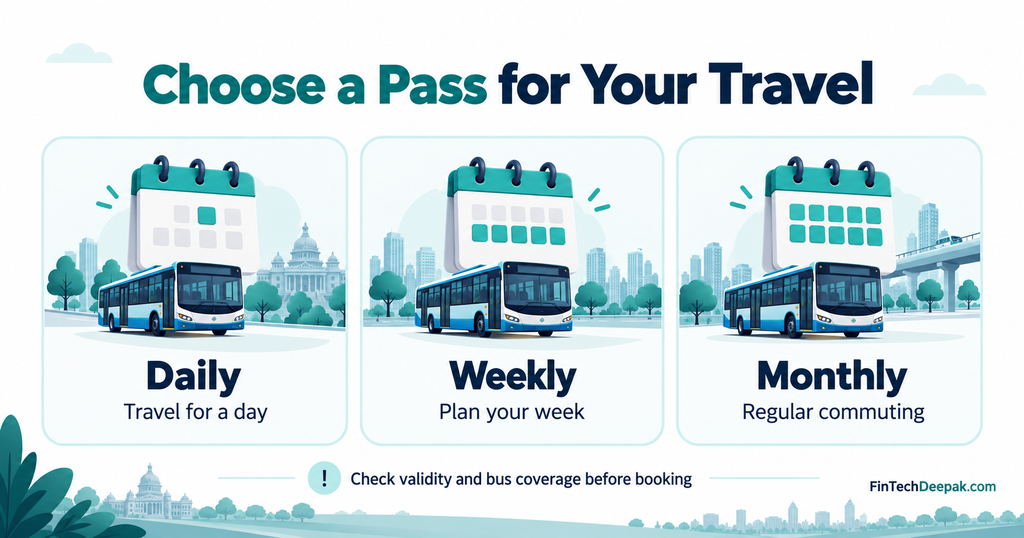
Start with two questions:
- How many days will you actually travel?
- Which bus services will you use?
Then compare the suitable pass against the tickets you would otherwise buy.
| Option | Worth considering when… | Main check |
|---|---|---|
| Daily | You have several journeys planned for one day | Will individual tickets cost less? |
| Weekly | You expect frequent travel within one validity period | How many days will you use it? |
| Monthly | Your commuting schedule is reasonably consistent | Will you travel enough to justify the upfront cost? |
Tummoc BMTC bus pass cost: a simple comparison
Using the ordinary-pass prices shown in my app:
- Four daily passes: ₹320, less than the ₹350 weekly pass.
- Five daily passes: ₹400, making the weekly pass ₹50 cheaper.
- Fifteen daily passes: ₹1,200, equal to the monthly pass.
- Twenty daily passes: ₹1,600, compared with ₹1,200 for the monthly pass.
These comparisons assume that the passes cover the same journeys and that your travel falls within the relevant validity periods.
They also compare passes with other passes. Individual tickets may still be cheaper.
Compare against your actual ticket costs
Suppose your return journey costs ₹60:
| Expected travel days | Total individual-ticket cost |
|---|---|
| 12 days | ₹720 |
| 20 days | ₹1,200 |
| 25 days | ₹1,500 |
This is an illustrative calculation. Substitute your own fares and expected travel days.
Count work-from-home days, holidays and planned leave before purchasing. A monthly pass can look inexpensive when divided by every calendar day, but that figure is less useful if you only travel occasionally.
If you want to track commuting costs, these expense tracker apps can help you compare your actual spending.
Check Bus Coverage Before Paying
A Tummoc BMTC bus pass should match the services you intend to use.
My screenshots explicitly state that the Vajra Gold Day Pass and Vajra Gold Monthly Pass cannot be used for airport buses. Do not assume that choosing an AC pass automatically includes airport travel.
The app also lists Ordinary, Express, Vistara and other products separately. Similar names or prices do not establish identical coverage.
For example:
- Ordinary Service Monthly Pass: ₹1,200
- Ordinary Vistara Monthly Pass: ₹1,500
- Express Vistara Monthly Pass: ₹2,000
Tap the information icon beside the pass and read its conditions. Confirm coverage for your route instead of selecting only by price.
Check the actual validity dates
Tummoc’s published pass guide describes the ordinary daily pass as valid for a calendar day and the weekly pass as covering seven days. A daily pass should therefore not be assumed to provide 24 hours from the time of purchase.
For every pass, especially a monthly option, read the start and expiry dates shown during booking. Do not assume a fixed 30-day period without checking the product’s terms.
How to Book a Tummoc BMTC Bus Pass
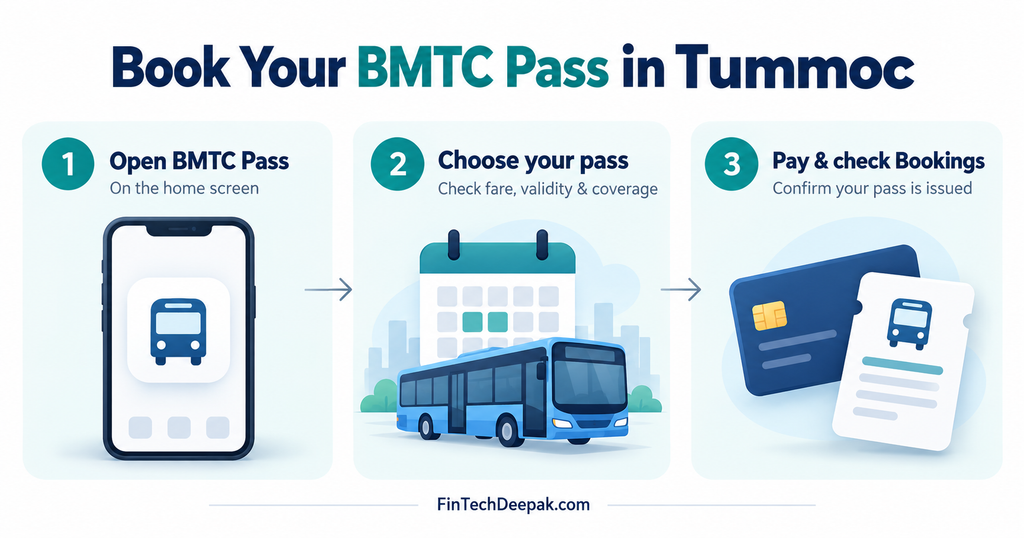
My current home-screen screenshot shows BMTC Pass under Passes & Tickets.
Follow this process:
- Open Tummoc and sign in. Check that you are using the correct account.
- Tap BMTC Pass.
- Select the duration. The screen includes Daily Pass, Weekly Pass and Monthly Pass tabs.
- Choose the pass product. Check the information icon, service coverage and displayed fare, then tap Book Pass.
- Complete the requested passenger details and verification. Tummoc’s published booking guide describes photo and identity verification; follow the requirements currently shown in your app.
- Review the details and pay. Confirm the selected pass, dates and passenger information before completing the purchase.
After payment, check that your pass has been issued. Your screenshots show two ways to access existing passes: Bookings in the bottom navigation and Go to booked passes on the selection screen.
A payment debit notification alone does not confirm that a usable pass is ready.
How to Use Your Tummoc BMTC Bus Pass
Open the active pass and follow the validation instructions shown for your journey.
Tummoc’s published booking guide describes QR-based validation and conductor checks. Its App Store release notes also document BMTC pass validation using the bus number. Use the method available in your app and follow the conductor’s instructions.
Before boarding, my practical suggestion is to check that:
- Your pass opens correctly.
- Its validity covers the journey.
- The bus service is included.
- Your phone has enough battery.
- You have the identification required for the pass.
Keep screenshots as supporting records if needed, but do not assume a saved image replaces the live pass or required validation.
How to Renew a Tummoc BMTC Bus Pass
Open your booked passes, select the relevant pass and look for the Renew option.
Tummoc’s official renewal guide describes checking the pass details and paying again when renewal is available. It also describes different renewal windows for different durations, so the option may not appear throughout the entire validity period.
Before confirming:
- Check the new validity dates.
- Confirm the current fare.
- Make sure the service category still suits your commute.
- Consider whether your upcoming travel justifies the same duration.
If the renewal option is missing, check the pass status and contact official support if the reason is unclear.
Payment Deducted but the Pass Is Missing?
If your Tummoc BMTC bus pass does not appear after payment, check the booking status before immediately paying again.
A useful sequence is:
- Reopen Tummoc and check Bookings.
- Check whether your bank or payment app shows the payment as pending, successful or failed.
- Save the transaction reference, amount and payment time.
- Record any booking ID or error message.
- Contact in-app support or use Tummoc’s official contact page.
Explain the issue clearly: “Payment was debited, but the pass was not issued.”
If you need to buy another ticket to complete your journey, retain that ticket when reporting the problem. Do not assume reimbursement will be automatic.
Cancellation and Refund Rules
Tummoc’s published policy states that booked BMTC/DTC passes and tickets are non-refundable and non-transferable.
It separately addresses unsuccessful bookings. Where a ticket, pass or recharge fails and sufficient proof is supplied, the policy says the money may be refunded within seven days, subject to its assessment. This is not an unconditional refund guarantee.
The distinction matters:
| Situation | What to understand |
|---|---|
| You bought a valid pass but changed your plans | The cancellation restrictions apply |
| Payment was deducted but the booking failed | Report the failed booking with supporting evidence |
| Your pass exists but you cannot open it | Report the access problem and follow the travel instructions given by staff |
Read the current cancellation and refund policy before purchasing.
My Tummoc Referral Code and Experience

My Tummoc referral code is 4MVXKR8N.
Alongside using daily, weekly and monthly passes, I have referred others to the app. My referral screen shows 271 referrals in the screenshot dated 21 October 2026.
The same screen advertises ₹5 for the referrer for each successful signup. It does not display a separate joining reward for the referred person.
The referral count is not a statement of money received or withdrawn. Check the current programme conditions for reward eligibility and usage.
You can download Tummoc through its official website and enter 4MVXKR8N where the app provides a referral-code field.
Choose your pass based on your travel needs. Any referral benefit is an additional consideration.
Conclusion: Tummoc BMTC Bus Pass
The Tummoc BMTC bus pass is useful to me because it makes covered journeys more convenient: I can avoid carrying a separate physical pass and do not need cash for every ride covered by it.
Having used daily, weekly and monthly options, I recommend comparing your actual travel schedule, eligible buses and ticket costs before choosing.
Check the fare and validity, confirm that the pass has been issued, and keep it accessible for your journey. If some trips require a cab instead, my cab price comparison app guide can help you compare that part of your travel budget too.
FAQs
What is the ordinary Tummoc BMTC bus pass price?
My screenshots from 21 October 2026 show ₹80 for an ordinary daily pass, ₹350 for an ordinary weekly pass and ₹1,200 for an ordinary monthly pass. Confirm the fare in the app before paying.
Does a Vajra Gold pass include airport buses?
The app explicitly states that Vajra Gold Day and Vajra Gold Monthly passes cannot be used for airport buses. Check the appropriate airport-service product and its conditions.
Is a monthly pass always cheaper?
No. It depends on your travel frequency and the cost of individual tickets. Include holidays and days when you will not use the bus.
Where do I find my Tummoc BMTC bus pass after booking?
Use Bookings in the bottom navigation or Go to booked passes on the pass-selection screen.
Can I show a screenshot instead of the live pass?
Open the live pass and follow the required validation process. Do not assume a screenshot alone will be accepted.
Can I transfer my pass to someone else?
Tummoc’s published policy describes passes as non-transferable. A personal pass should not be shared for another traveller’s use.
What if payment is deducted but no pass is issued?
Check the booking and payment status, save your transaction details and contact official Tummoc support.
What is your Tummoc referral code?
My referral code is 4MVXKR8N. Check the app for the current referral offer and its conditions.